I Built an AI-Powered Finance Tracker with Claude Code
I built Acclaud because every budgeting app I’ve tried wants to own the whole experience. Your data on their servers, opaque categorization rules, a monthly fee. When they shut down (RIP Mint), your history goes with them. Plain-text accounting tools like hledger solve the ownership problem, but they leave you with the worst part: manually categorizing every coffee shop and gas station charge. That’s what makes people quit.
Acclaud fills that gap. It’s a Python CLI that pulls transactions from your bank, sends them to Claude for categorization, writes them to hledger journals, and generates monthly markdown reports. Your data stays on your machine as plain text files you can read, search, and version control.

How it works
Input
Acclaud supports two ways to get transactions in. You can drop a CSV export from your bank into a folder, or connect SimpleFIN ($15/year) for automated API access. Either way, it’s one command: acclaud import.
Categorization
This is the core of the tool. Acclaud builds a prompt containing your account structure, a merchant-to-category map built from your existing transactions, and the raw transaction data. It sends that to Claude via claude --print and gets back valid hledger journal entries:
2026-03-15 Whole Foods
    expenses:food              $85.32
    assets:ally checking      -$85.32

2026-03-16 MTA MetroCard
    expenses:transportation    $34.00
    assets:ally checking      -$34.00
The merchant map is what makes it consistent. The first time Claude sees “WHOLEFDS MKT 10032”, it figures out that’s Whole Foods and files it under expenses:food. Every import after that, the mapping is included in the prompt, so the same merchant always lands in the same category.
It also handles ambiguity that a regex never could. “UBER” could be transportation or Uber Eats. “AMAZON” could be anything. Claude reads the description, checks the merchant history, and makes a call. When it gets one wrong, you fix the journal entry once and the correction feeds back into the map for next time.
A typical monthly import with ~100 transactions is a single Claude call. Costs cents.
Output
acclaud report generates a markdown report with income and expense summaries, account balances, cash flow, per-category transaction tables, and a Sankey diagram showing where your money went.
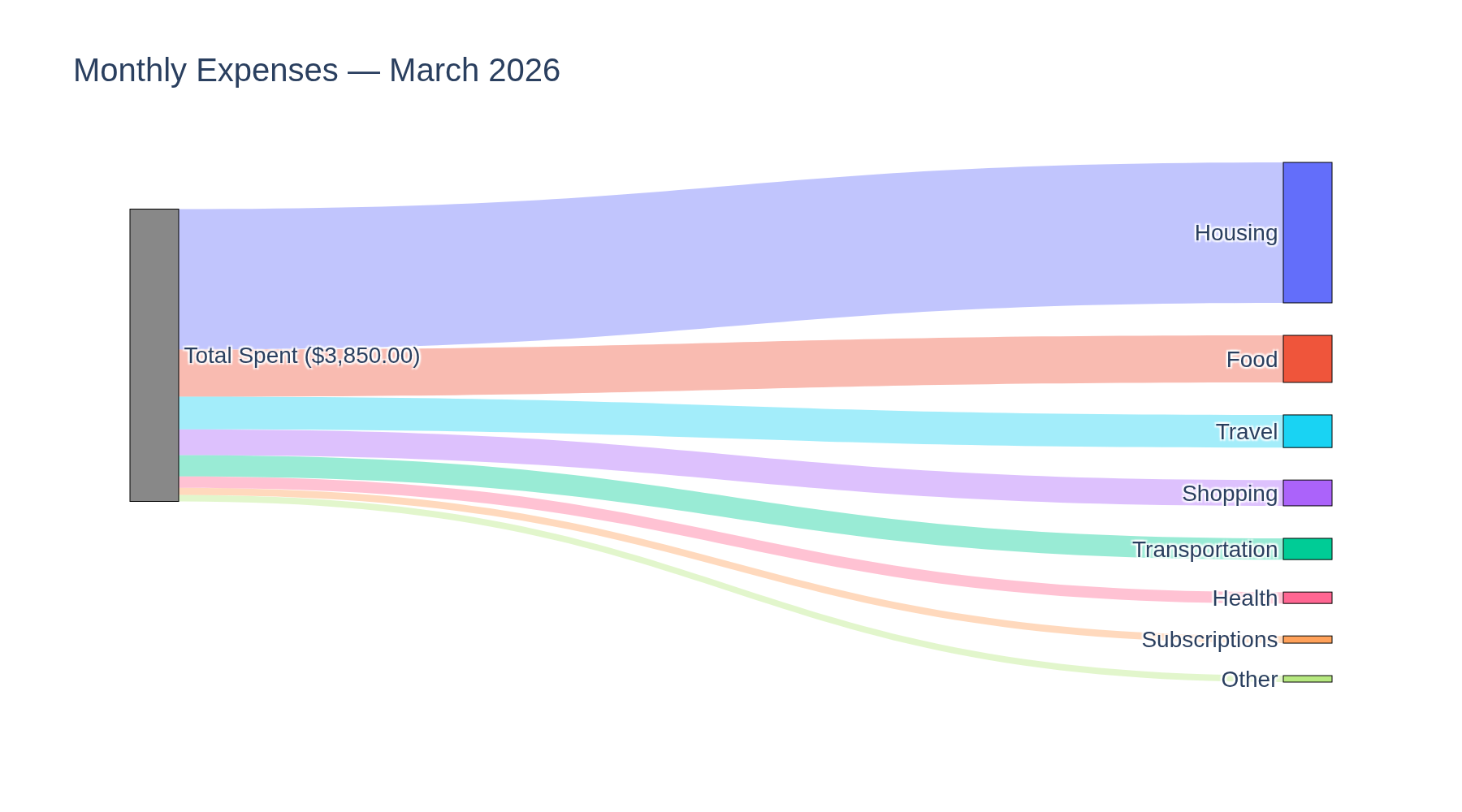
You configure an output directory and reports land wherever you want them. I point mine at a notes folder so they show up alongside everything else I’m working on.
What I learned
claude --print is the simplest AI integration I’ve found. Claude Code’s --print flag turns it into a Unix-friendly text processor. No SDK, no API key management, no HTTP client. The entire integration is subprocess.run(["claude", "--print"], input=prompt). For tools where the AI has one well-defined job per invocation, this is all you need.
The prompt is the product. The categorization prompt is the most-edited file in the repo. Getting Claude to produce valid hledger syntax, handle sign conventions across checking accounts and credit cards, detect transfers between your own accounts, and reuse merchant mappings took dozens of iterations. The code around it is straightforward. The prompt is where all the product decisions live.
Plain text is the right default. hledger journals are human-readable, diffable, greppable, and version-controllable. When Claude miscategorizes something, I open the file in my editor and fix it. No database migration, no API call. The fix is permanent and feeds back into the next import automatically.
Try it
Full setup instructions, usage examples, and architecture details in the README.
← Back to all posts